Settings & Configuration
The Settings module is available to administrators and lets you configure how NextGen works for your organization. Here you can set up automations, manage workflows, and customize the application.
Admin Only
Settings and configuration are only available to users with administrator permissions. If you do not see the Settings menu item, contact your admin.
Accessing Settings
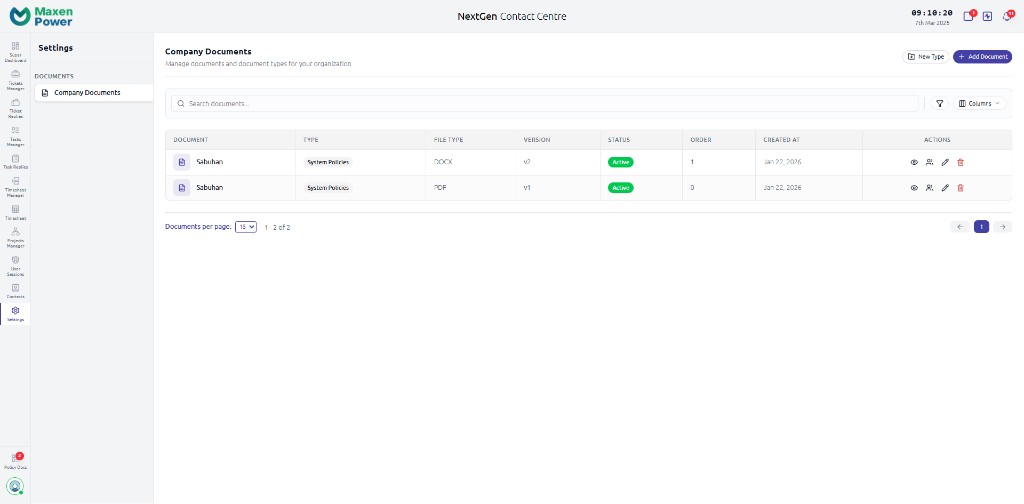
Go to Settings in the Super Dashboard sidebar. The settings page is organized into sections.
Settings Page
Automations
Automations let you create rules that trigger actions automatically. For example:
- Auto-assign tickets to a specific agent based on type or department
- Automatically change ticket status when a condition is met
- Send notification emails when a ticket priority changes
- Escalate tickets that have not been responded to within a time limit
Creating an Automation
- Go to Settings > Automations
- Click Create Automation
- Define the trigger (what event starts the automation)
- Define the conditions (when should it run)
- Define the actions (what should happen)
- Save and activate the automation
Approval Queues
Go to Approval Queues in the sidebar to manage items waiting for approval. This includes timesheet approvals, request changes, and workflow approvals.
- Pending items — Items waiting for your review
- Approve/Reject — Take action on each item with comments
- History — View previously approved or rejected items
Change Logs & Audit Trail
Go to Change Logs in the sidebar to see a complete history of all changes made in the system. Every action is recorded:
- Who made the change
- What was changed (old value vs. new value)
- When it happened
- Which module it was in
Compliance
The audit trail is permanent and cannot be deleted. This ensures compliance with organizational policies and regulatory requirements.